
Home / Blog / How to make an AI video ad for free
How to make an AI video ad for free (step by step)
By Hadhi Muhammed P. · 12 Oct 2026 · 6 min read

1. What free tools do you need?
You do not need an expensive cinema camera, lighting equipment, or a studio shoot to produce professional advertising videos. With the right AI workflow, four free tools give you everything you need:
- ChatGPT (Free tier): For generating audience hook ideas, scripting, and structuring 30-second video formats.
- Google Flow / Luma Dream Machine: For generating cinematic video scenes from descriptive text prompts without watermarks.
- ElevenLabs (Free tier): For generating natural human voiceovers with emotion, realistic pauses, and multilingual support.
- CapCut (Free): For assembling visual clips, auto-syncing captions, and layering background music.
2. Step 1: Write a high-converting hook and script
Every commercial video succeeds or fails in its first 3 seconds. When viewers scroll through Instagram Reels or YouTube Shorts, your hook must immediately stop their thumb.
Use this four-part structure for a high-converting 30-second advertisement:
- The Hook (0–3 seconds): Call out the specific target persona or state an unexpected problem. Example: "Still spending 3 hours filming product videos every week?"
- The Pain Point (3–10 seconds): Highlight the frustration of expensive cameras, retakes, and editing bottlenecks.
- The Solution (10–22 seconds): Introduce the product or transformation clearly with smooth cinematic visual demonstration.
- The Call to Action (22–30 seconds): Tell viewers exactly what to do next. Example: "Tap the link below to get yours today."
3. Step 2: Generate realistic video scenes
Once your script is ready, break it down into 4 to 6 individual visual shots. Each shot corresponds to 4–5 seconds of video.
When prompting AI video tools like Luma Dream Machine or Google Flow, use the Subject + Action + Camera + Lighting formula:
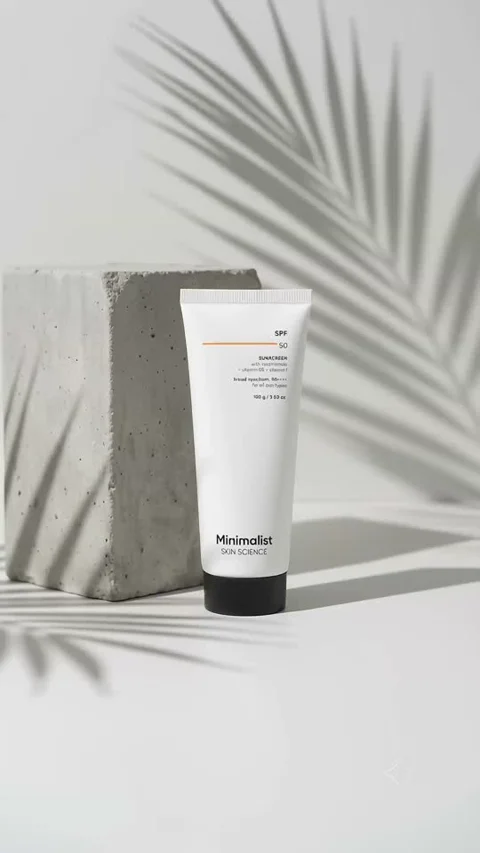
Prompt formula: "Close-up cinematic shot of [Product Name] resting on a polished marble surface, soft morning sunlight casting realistic shadows, smooth slow camera push-in, 4k commercial lighting."
4. Step 3: Generate voiceover and sound effects
Robotic, monotone voices immediately destroy credibility. With ElevenLabs' free monthly quota, select realistic voice profiles designed specifically for commercial narration (such as "Adam" or "Rachel") or clone a custom brand voice.
Tip: Add commas and ellipses (...) inside your script text to create natural human pauses and conversational rhythm.
5. Step 4: Assemble and caption the video in CapCut
Import your AI-generated video clips and ElevenLabs audio track into CapCut. Follow these editing essentials:
- Trim the fat: Cut clips precisely to the audio track. Keep cuts fast and dynamic (every 2 to 3 seconds).
- Auto-Captions: Over 70% of social media users watch video ads on mute. Use CapCut’s Auto-Caption feature and format captions in high-contrast bold fonts.
- Sound Design: Layer subtle whoosh effects on visual transitions and add an uplifting royalty-free background track at 15% volume.
Want to see real commercial videos created using this exact workflow? Browse our Student Results page to watch ad campaigns made without a camera or studio.
Questions people ask
Can I really make an AI video ad completely for free?
Yes. By utilizing the free tiers of ChatGPT, Luma Dream Machine, Google Flow, ElevenLabs, and CapCut, you can produce a complete 30-second commercial video without paying for software.
Which free AI video generator is best for commercial ads?
Luma Dream Machine and Google Flow provide high visual fidelity, photorealistic textures, and smooth camera motion without invasive watermarks on free tiers.
How long does it take to make an AI video ad?
Once you understand the systematic workflow, generating and assembling a 30-second commercial ad takes approximately 45 to 60 minutes from prompt to export.
Do I need video editing experience to join Raise AI?
No prior editing experience is required. The Raise AI live workshop and masterclass guide working professionals from absolute zero to publishing finished video work.

Founder of Raise AI. Teaches AI to working professionals in Kerala. About us
Read next
How to keep an AI character the same in every scene
The character sheet method we teach in class, explained simply.
AI videoWhat is Google Flow? A beginner's guide to making AI video
What it does, what is free, and how to make your first clip.
AI videoWhat is an AI UGC ad, and how do you make one?
The ad format brands pay for, built step by step.